TP Link AX3000 comes with dual band WiFi 6 speeds up to 3000 Mbps, a dual core processor for stable data handling, and high gain external antennas for extended coverage across multiple rooms. If you are looking for a balanced combination of speed, modern wireless technology, and practical home coverage at a competitive price, the TP Link AX3000 stands out as a reliable and future ready networking solution.
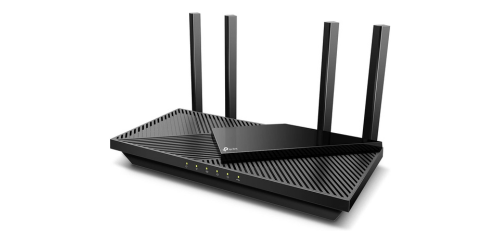
What TP Link AX3000 Offer?
- The TP Link AX3000 has WiFi 6 802.11ax technology for increasing network efficiency, reducing congestion, and improving overall performance in homes with many connected devices.
- Link AX3000 features combined speeds up to 3000 Mbps for supporting 4K streaming, online gaming, and high speed downloads without buffering interruptions.
- It has a dual core processor for maintaining stable data processing and minimizing latency during heavy multitasking usage.
- The TP Link AX3000 supports OFDMA for allowing multiple devices to transmit data simultaneously, reducing wait times and improving responsiveness.
- TP Link AX3000 includes MU MIMO technology for delivering concurrent data streams to ensure smoother performance across smartphones, laptops, and smart TVs.
- It has four high gain external antennas for extending wireless coverage across apartments and medium sized homes with consistent signal strength.
- The TP Link AX3000 features Gigabit Ethernet ports for providing stable wired connections to gaming consoles, desktop PCs, and streaming devices.
- TP Link AX3000 supports WPA3 security encryption for strengthening network protection and safeguarding personal data from unauthorized access.
- It includes beamforming technology for directing WiFi signals toward connected devices, improving signal stability and reducing dropouts.
Pros & Cons
- • WiFi 6 with up to 3000 Mbps combined speed
- • Stable dual core processor for multitasking
- • OFDMA and MU MIMO for multiple connected devices
- • Gigabit LAN ports for wired stability
- • WPA3 security support
- • User friendly mobile app setup
- • No multi gig WAN port
- • No built in modem
- • No USB 3.0 port on some variants
Comparison
| Feature | TP Link AX3000 | Netgear RAX40 | Asus RT AX58U |
| WiFi Standard | WiFi 6 802.11ax | WiFi 6 802.11ax | WiFi 6 802.11ax |
| Max Combined Speed | 3000 Mbps | 3000 Mbps | 3000 Mbps |
| 2.4 GHz Speed | 574 Mbps | 600 Mbps | 574 Mbps |
| 5 GHz Speed | 2402 Mbps | 2400 Mbps | 2402 Mbps |
| Processor | Dual Core 1.5 GHz | Dual Core 1.5 GHz | Tri Core 1.5 GHz |
| RAM | 256 MB | 512 MB | 512 MB |
| Antennas | 4 External | 4 External | 4 External |
| Ethernet Ports | 1 WAN + 4 LAN | 1 WAN + 4 LAN | 1 WAN + 4 LAN |
| USB Port | No | 1 x USB 3.0 | 1 x USB 3.0 |
| Security | WPA3 | WPA3 | WPA3 |
| OFDMA | Yes | Yes | Yes |
| MU MIMO | Yes | Yes | Yes |
| Beamforming | Yes | Yes | Yes |
| Weight | 420 g | 458 g | 540 g |
| Dimensions | 260 x 135 x 38 mm | 285 x 185 x 50 mm | 223 x 129 x 47 mm |
| Price | Check AX3000 Price | Check RAX40 Price | Check RT AX58U Price |
FAQ
Is TP Link AX3000 good for gaming? Can TP Link AX3000 handle multiple smart home devices? Does TP Link AX3000 support 4K streaming? Is TP Link AX3000 compatible with fiber internet? Does TP Link AX3000 have parental controls? Can I use TP Link AX3000 in a large house? Does TP Link AX3000 support WPA3 security? Is setup difficult for beginners? Does TP Link AX3000 have a USB port for file sharing? Can TP Link AX3000 reduce buffering during video calls? How many devices can TP Link AX3000 handle? Does TP Link AX3000 support beamforming? Is TP Link AX3000 suitable for apartments? Can I mount TP Link AX3000 on a wall? Does TP Link AX3000 work with older WiFi devices? |