MacBook Air M1 comes with Apple’s custom M1 chip, a fanless ultra-thin aluminum design, and up to 18 hours of battery life. If you are looking for a perfect balance between performance, efficiency, and long-term value, the MacBook Air M1 remains one of the most practical and reliable laptops in its class.
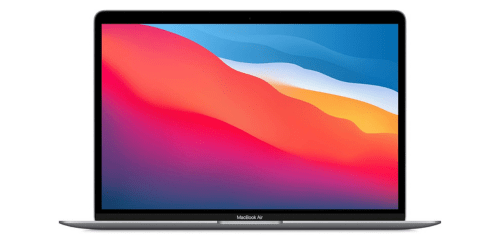
What MacBook Air M1 Offer?
- The MacBook Air M1 has an Apple M1 chip with an 8-core CPU for delivering fast performance, smooth multitasking, and efficient power usage during everyday work and creative tasks.
- MacBook Air M1 includes 8-core integrated GPU for handling photo editing, light video editing, and graphics-intensive apps without requiring a dedicated graphics card.
- It supports up to 16GB unified memory for faster data access and seamless multitasking across multiple apps without noticeable slowdowns.
- The MacBook Air M1 features a 13.3-inch Retina IPS display with 2560 x 1600 resolution for sharp text clarity and vibrant color accuracy while browsing, streaming, or designing.
- MacBook Air M1 comes with True Tone technology for automatically adjusting display color temperature to match ambient lighting and reduce eye strain during long sessions.
- It delivers up to 18 hours battery life for working, studying, or traveling throughout the day without frequently recharge.
- The MacBook Air M1 has a fanless thermal design for completely silent operation during meetings, lectures, and focused work environments.
- MacBook Air M1 includes two Thunderbolt 3 USB 4 ports for high-speed data transfer, charging, and connecting external displays or storage devices with a single versatile cable.
- It supports Wi-Fi 6 and Bluetooth 5.0 for stable wireless connectivity, faster downloads, and reliable connections to accessories and networks.
Pros & Cons
- Excellent performance per watt with Apple M1 chip
Completely silent fanless design
Long battery life up to 18 hours
High-resolution Retina display with accurate colors
Premium aluminum build quality
Strong integration with Apple ecosystem
- Only two USB-C ports
Supports only one external display natively
No SD card slot
Comparison
| Feature | MacBook Air M1 | MacBook Air M2 | Dell XPS 13 9310 |
| Processor | Apple M1 8-core CPU | Apple M2 8-core CPU | Intel Core i7-1165G7 4-core |
| GPU | 7-core or 8-core integrated GPU | 8-core or 10-core integrated GPU | Intel Iris Xe Graphics |
| RAM | 8GB or 16GB unified memory | 8GB, 16GB, 24GB unified memory | 8GB, 16GB, 32GB LPDDR4x |
| Storage | 256GB, 512GB, 1TB, 2TB SSD | 256GB, 512GB, 1TB, 2TB SSD | 256GB, 512GB, 1TB, 2TB SSD |
| Display Size | 13.3 inches | 13.6 inches | 13.4 inches |
| Resolution | 2560 x 1600 | 2560 x 1664 | 1920 x 1200 |
| Brightness | 400 nits | 500 nits | 500 nits |
| Battery Capacity | 49.9 Wh | 52.6 Wh | 52 Wh |
| Battery Life | Up to 18 hours | Up to 18 hours | Up to 14 hours |
| Weight | 1.29 kg | 1.24 kg | 1.2 kg |
| USB Ports | 2 x Thunderbolt 3 USB 4 | 2 x Thunderbolt USB 4 | 2 x Thunderbolt 4 |
| Wireless | Wi-Fi 6, Bluetooth 5.0 | Wi-Fi 6, Bluetooth 5.3 | Wi-Fi 6, Bluetooth 5.1 |
| External Display Support | 1 external display up to 6K | 1 external display up to 6K | 2 external displays |
| Price | Check Air M1 Price | Check Air M2 Price | Check Dell XPS 13 Price |
FAQ
Is the MacBook Air M1 still good for students in 2026? Can the MacBook Air M1 edit 4K videos? Does the MacBook Air M1 overheat without a fan? How long does the battery last in real-world use? Can I connect two external monitors to the MacBook Air M1? Is 8GB RAM enough on MacBook Air M1? Does the MacBook Air M1 support gaming? Is the MacBook Air M1 good for programming? Does it have a good webcam? Can I upgrade RAM or storage later? Is the MacBook Air M1 lightweight for travel? Does it support fast charging? Is it compatible with iPhone and iPad? How durable is the aluminum body? Is it suitable for business professionals? |