Boox Go Color 7 comes with a 7-inch E Ink Kaleido 3 color display, lightweight 195g design, and Android 12 support for app flexibility. If you are looking for a balance between color e-paper comfort, portable design, and open Android functionality, Boox Go Color 7 stands out as a versatile compact e-reader for everyday reading and light productivity.
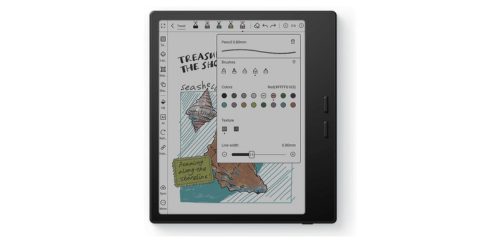
What Boox Go Color 7 Offer?
- The Boox Go Color 7 has a 7-inch E Ink Kaleido 3 display with 1680 × 1264 resolution at 300 ppi in black-and-white mode for delivering sharp text clarity.
- Boox Go Color 7 features an 8-core processor for smoother navigation, faster app loading, and more responsive page refresh when switching between reading and productivity apps.
- It includes 4GB RAM for stable multitasking between PDFs, eBook apps, web browsing, and background processes without frequent slowdowns.
- The Boox Go Color 7 comes with 64GB internal storage for storing thousands of eBooks, large academic PDFs, and graphic novels without depending on cloud access.
- Boox Go Color 7 runs on Android 12 with Google Play support for installing Kindle, Kobo, Libby, and other third-party apps directly on the device.
- It has adjustable warm and cold front lighting for comfortable reading in both bright daylight and low-light nighttime environments.
- The Boox Go Color 7 includes physical page-turn buttons for easier one-handed reading during commutes or extended sessions without constant screen tapping.
- Boox Go Color 7 supports Wi-Fi and Bluetooth 5.0 connectivity for syncing books wirelessly and connecting headphones.
- It has a 2300mAh battery for extended standby time and long reading sessions with minimal power consumption.
Pros & Cons
- 7-inch Kaleido 3 color E Ink display
- Android 12 with Google Play access
- Physical page buttons for convenience
- 4GB RAM and 64GB storage
- Lightweight 195g body
- Warm and cold front light adjustment
- Bluetooth 5.0 support for audio
- Color resolution limited to 150 ppi
- No stylus included
Comparison
| Feature | Boox Go Color 7 | Kobo Libra Colour | Kindle Paperwhite |
| Display Size | 7.0 inches | 7.0 inches | 6.8 inches |
| Screen Type | E Ink Kaleido 3 | E Ink Kaleido 3 | E Ink Carta 1200 |
| Resolution (B&W) | 1680 × 1264 (300 ppi) | 1680 × 1264 (300 ppi) | 1236 × 1648 (300 ppi) |
| Resolution (Color) | 150 ppi | 150 ppi | No color support |
| Processor | 8-core | 1.8 GHz dual-core | 1 GHz dual-core |
| RAM | 4GB | 1GB | Not specified |
| Storage | 64GB | 32GB | 8GB / 16GB |
| Operating System | Android 12 | Kobo OS | Kindle OS |
| Google Play Support | Yes | No | No |
| Connectivity | Wi-Fi, Bluetooth 5.0 | Wi-Fi, Bluetooth | Wi-Fi, Bluetooth |
| USB Port | USB-C | USB-C | USB-C |
| Battery Capacity | 2300mAh | Not specified | Not specified |
| Front Light | Warm + Cold | ComfortLight PRO | Adjustable warm light |
| Weight | 195g | 199g | 205g |
| Physical Page Buttons | Yes | Yes | No |
| Price | Check Boox Go 7 Price | Check Kobo Libra Price | Check Kindle Price |
FAQ
Is Boox Go Color 7 good for reading comics and manga? Can Boox Go Color 7 install Kindle or Kobo apps? Does Boox Go Color 7 support stylus input? How long does the battery last in real use? Is Boox Go Color 7 better than a regular tablet for reading? Can Boox Go Color 7 play audiobooks? Does Boox Go Color 7 support PDFs well? Is the screen bright enough for night reading? Can I expand storage with microSD? Does Boox Go Color 7 support web browsing? Is Boox Go Color 7 waterproof? Is it suitable for students? How heavy is Boox Go Color 7 for travel? Does it support dark mode? Who should buy Boox Go Color 7? |