Acer Nitro 5 comes with powerful NVIDIA GeForce RTX graphics, high-refresh-rate display options up to 144Hz, and an aggressive gaming-focused design with advanced cooling vents. If you are looking for a balanced gaming laptop that combines strong performance, upgrade flexibility, and competitive pricing, Acer Nitro 5 stands out as a practical and value-driven option in the mid-range gaming segment.
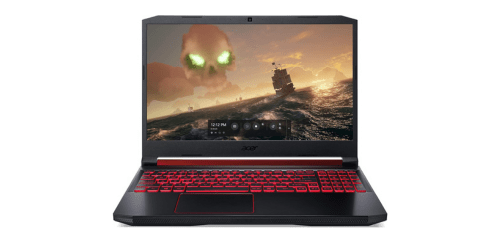
What Acer Nitro 5 Offer?
- The Acer Nitro 5 has an Intel Core i7 processor for delivering high clock speeds, smooth multitasking, and stable performance in demanding games and productivity applications.
- Acer Nitro 5 has NVIDIA GeForce RTX 3060 graphics for enabling real-time ray tracing, AI-powered DLSS support, and high frame rates in modern AAA titles at 1080p resolution.
- It has a 15.6-inch Full HD IPS display with a 144Hz refresh rate for reducing motion blur and providing smoother visuals during competitive gaming sessions.
- The Acer Nitro 5 has up to 32GB DDR4 RAM support for handling heavy multitasking, large project files, and memory-intensive software without lag.
- Acer Nitro 5 has dual M.2 NVMe SSD slots for expanding storage capacity and improving load times for games and large applications.
- It has a dual-fan cooling system with CoolBoost technology for maintaining consistent performance by controlling heat during extended gaming sessions.
- The Acer Nitro 5 has Wi-Fi 6 connectivity for achieving lower latency, faster downloads, and more stable online gaming connections.
- Acer Nitro 5 has a backlit RGB keyboard for enhancing visibility and improving accuracy during late-night gaming or work sessions.
- It has multiple USB 3.2 ports and HDMI connectivity for connecting external monitors, gaming peripherals, and high-speed storage devices without adapters.
Pros & Cons
- • Strong gaming performance with RTX graphics options
- • High refresh rate display up to 165Hz
- • Upgradeable RAM and storage
- • Good thermal management for its category
- • Competitive pricing for performance level
- • Battery life shorter during gaming
- • Plastic chassis design
- • Fans can become noticeable under heavy load
- • Speakers are average for gaming laptops
Comparison
| Feature | Acer Nitro 5 | ASUS TUF Gaming F15 | Lenovo Legion 5 |
| Processor | Intel Core i7-12700H | Intel Core i7-12700H | AMD Ryzen 7 6800H |
| GPU | NVIDIA RTX 3060 6GB | NVIDIA RTX 3060 6GB | NVIDIA RTX 3060 6GB |
| RAM | 16GB DDR4 3200MHz | 16GB DDR4 3200MHz | 16GB DDR5 4800MHz |
| Storage | 512GB NVMe SSD | 1TB NVMe SSD | 512GB NVMe SSD |
| Display Size | 15.6-inch | 15.6-inch | 15.6-inch |
| Resolution | 1920 x 1080 | 1920 x 1080 | 1920 x 1080 |
| Refresh Rate | 144Hz | 144Hz | 165Hz |
| Panel Type | IPS | IPS | IPS |
| Battery Capacity | 57Wh | 90Wh | 80Wh |
| Battery Life | Up to 8 hours | Up to 10 hours | Up to 9 hours |
| USB Ports | 3 x USB 3.2, 1 x USB-C | 3 x USB 3.2, 1 x USB-C | 4 x USB 3.2, 1 x USB-C |
| HDMI | HDMI 2.1 | HDMI 2.0 | HDMI 2.1 |
| Wi-Fi | Wi-Fi 6 | Wi-Fi 6 | Wi-Fi 6E |
| Weight | 2.5 kg | 2.2 kg | 2.4 kg |
| Ethernet | RJ-45 | RJ-45 | RJ-45 |
| Price | Check Nitro 5 Price | Check Gaming F15 Price | Check Legion 5 Price |
FAQ
Is Acer Nitro 5 good for modern AAA gaming? Can Acer Nitro 5 handle video editing and content creation? Is the RAM upgradeable in Acer Nitro 5? Does Acer Nitro 5 support SSD upgrades? How is the cooling performance during long gaming sessions? Is the display suitable for competitive gaming? Does Acer Nitro 5 support ray tracing? How long does the battery last for daily use? Is Acer Nitro 5 good for students? Does it have good connectivity options? Is the keyboard comfortable for long sessions? Does it overheat easily? Can it run VR applications? Is the build quality durable? Who should buy Acer Nitro 5? |