The Acer Iconia Tab M10 comes with a large 10.1-inch display, reliable MediaTek processing power, and long-lasting battery performance designed for everyday productivity and entertainment. If you are looking for a balanced Android tablet that combines practical features, smooth performance, and strong value for daily use, the Acer Iconia Tab M10 is a solid option for students, casual users, and families.
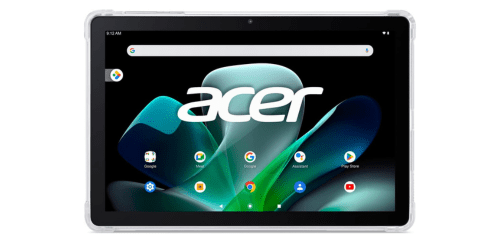
What Acer Iconia Tab M10 Offer?
- The Acer Iconia Tab M10 has a MediaTek MT8183 octa core processor for delivering stable everyday performance, smoother multitasking, and efficient handling of apps, streaming, and web browsing.
- Acer Iconia Tab M10 has a 10.1 inch Full HD IPS display for producing sharp visuals, vibrant colors, and comfortable viewing during movies, reading, and online classes.
- It has 4GB RAM for maintaining smoother app switching and reducing lag when running multiple applications simultaneously.
- The Acer Iconia Tab M10 has 64GB internal storage for storing apps, documents, photos, and downloaded media without quickly running out of space.
- Acer Iconia Tab M10 has a 6000 mAh battery to support extended usage sessions that allow users to stream videos, browse, and study throughout the day.
- It has an 8MP rear camera for capturing quick photos, scanning documents, and recording everyday moments with clear detail.
- The Acer Iconia Tab M10 has a 5MP front camera for enabling clear video calls, virtual meetings, and online learning sessions.
- Acer Iconia Tab M10 has WiFi connectivity for maintaining reliable internet access during video streaming, browsing, and cloud based applications.
- It has Bluetooth 5.0 support for connecting wireless headphones, keyboards, and speakers to enhance productivity and entertainment.
- Acer Iconia Tab M10 has a USB C charging port for faster data transfer, convenient charging, and compatibility with modern accessories.
Pros & Cons
- Large 10.1 inch display
- Reliable processor handles daily tasks smoothly
- Long battery life supports extended usage without frequent charging
- USB C charging allows modern connectivity with accessories
- Lightweight design to carry
- Camera not designed for advanced photography
- Performance is not intended for heavy gaming
Comparison
| Feature | Acer Iconia Tab M10 | Samsung Galaxy Tab A8 | Lenovo Tab M10 Plus |
| Display Size | 10.1 inches | 10.5 inches | 10.6 inches |
| Display Type | IPS LCD | TFT LCD | IPS LCD |
| Resolution | 1920 × 1200 | 1920 × 1200 | 2000 × 1200 |
| Processor | MediaTek MT8183 | Unisoc Tiger T618 | MediaTek Helio G80 |
| CPU Cores | Octa core | Octa core | Octa core |
| RAM | 4 GB | 4 GB | 4 GB |
| Storage | 64 GB | 64 GB | 64 GB |
| Rear Camera | 8 MP | 8 MP | 8 MP |
| Front Camera | 5 MP | 5 MP | 8 MP |
| Battery Capacity | 6000 mAh | 7040 mAh | 7700 mAh |
| Charging Port | USB C | USB C | USB C |
| WiFi | WiFi 5 | WiFi 5 | WiFi 5 |
| Bluetooth | 5.0 | 5.0 | 5.0 |
| Weight | 430 g | 508 g | 465 g |
| Price | Check Acer Tab M10 Price | Check Samsung A8 Price | Check Tab M10 Plus Price |
FAQ
Is the Acer Iconia Tab M10 good for students? Can the Acer Iconia Tab M10 handle multitasking? Is the Acer Iconia Tab M10 good for watching movies and streaming? Does the Acer Iconia Tab M10 support video calls? How long does the Acer Iconia Tab M10 battery last? Can the Acer Iconia Tab M10 be used for reading ebooks? Does the Acer Iconia Tab M10 support external accessories? Is the Acer Iconia Tab M10 good for kids? Can the Acer Iconia Tab M10 be used for work tasks? Does the Acer Iconia Tab M10 support USB C charging? Is the Acer Iconia Tab M10 suitable for travel? Does the Acer Iconia Tab M10 support wireless headphones? Is the Acer Iconia Tab M10 good for casual gaming? Can the Acer Iconia Tab M10 store many apps and files? Is the Acer Iconia Tab M10 easy to use for beginners? |